Manual keywording takes time
Writing titles, descriptions and keywords for every image by hand slows down the work.
Generate titles, descriptions and keyword suggestions with Advanced AI Auto Tags — then review, rate and organize your images in one fast Windows photo workflow.

Writing titles, descriptions and keywords for every image by hand slows down the work.
Accurate, consistent descriptions help keep metadata clear and your portfolio organized.
As your archive grows, reviewing, tagging and keeping everything in order becomes harder.
N1 Viewer helps turn an image into useful metadata without leaving your photo workflow.
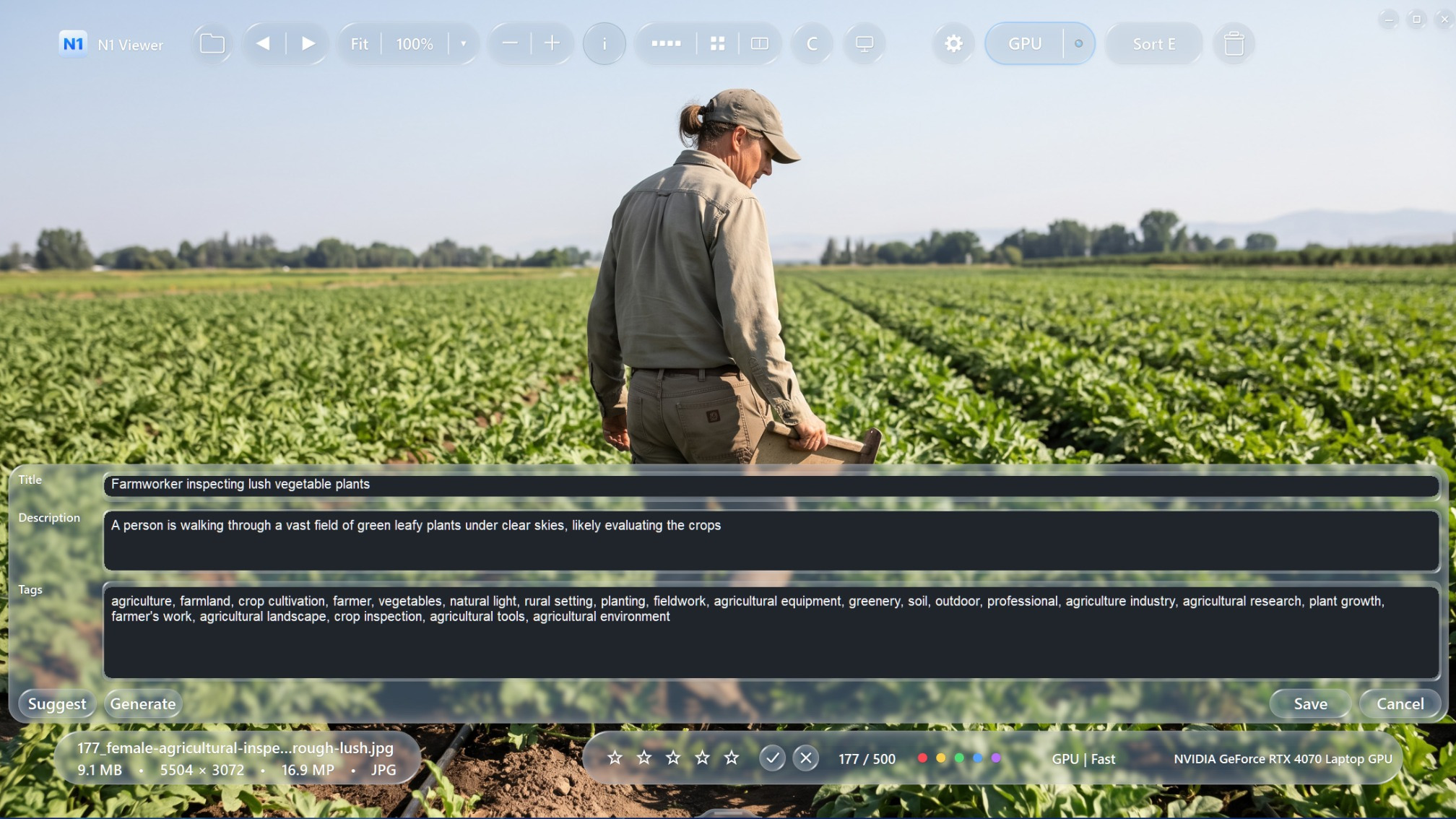
Advanced Auto Tags analyzes the photo and prepares editable metadata. Review the suggestions, adjust the wording and keywords, then save what you need.
AI suggestions are a starting point, not a locked result. You can edit the title and description, remove irrelevant keywords, add your own terms and save the final metadata.
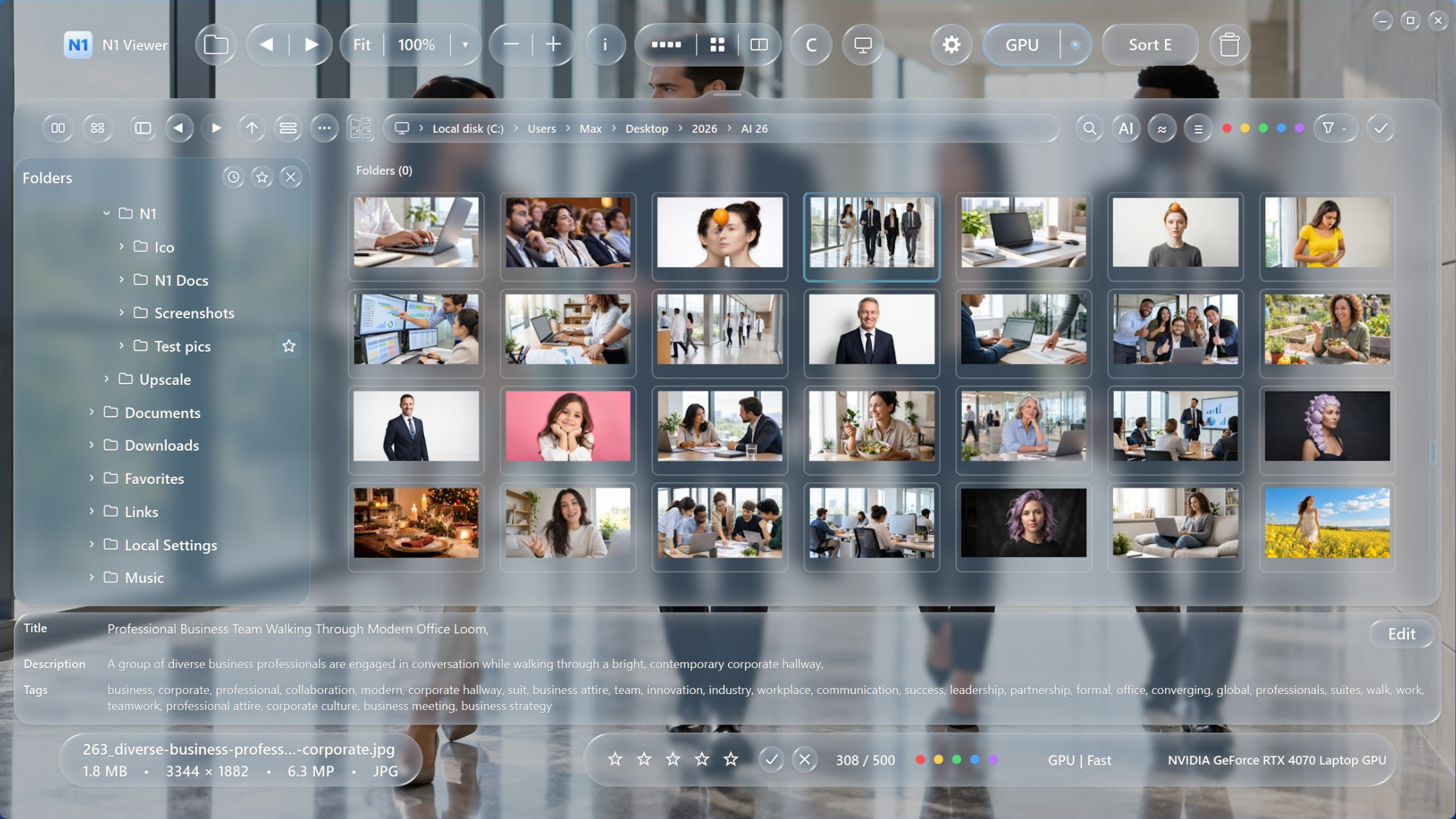
Find photos by describing what they show, or use a reference image to discover visually similar pictures. Search by content and visual similarity instead of opening folders one by one.
Explore AI Photo SearchAI models are downloaded separately. Once installed, supported AI search and image analysis run locally on your Windows PC, so your photo archive does not need to be uploaded to a cloud AI service for these tasks.
From fast previews and RAW inspection to culling and color-accurate viewing, N1 Viewer brings essential tools together.
Generate editable titles, descriptions and keyword suggestions for your stock images.
Move quickly through large image folders with a fast JPEG viewing engine.
Support for major RAW formats, with full decoding when zooming in or when the embedded preview is not sufficient.
Accurate color rendering for wide-gamut color spaces and capable displays.
Automatically move to the next image while reviewing and sorting a shoot.
Use star ratings supported by Adobe Lightroom to keep your photo selection workflow familiar.
Filter and narrow down images using ratings, labels and other viewing controls.
A clean gallery and viewer experience designed for efficient everyday photo work.
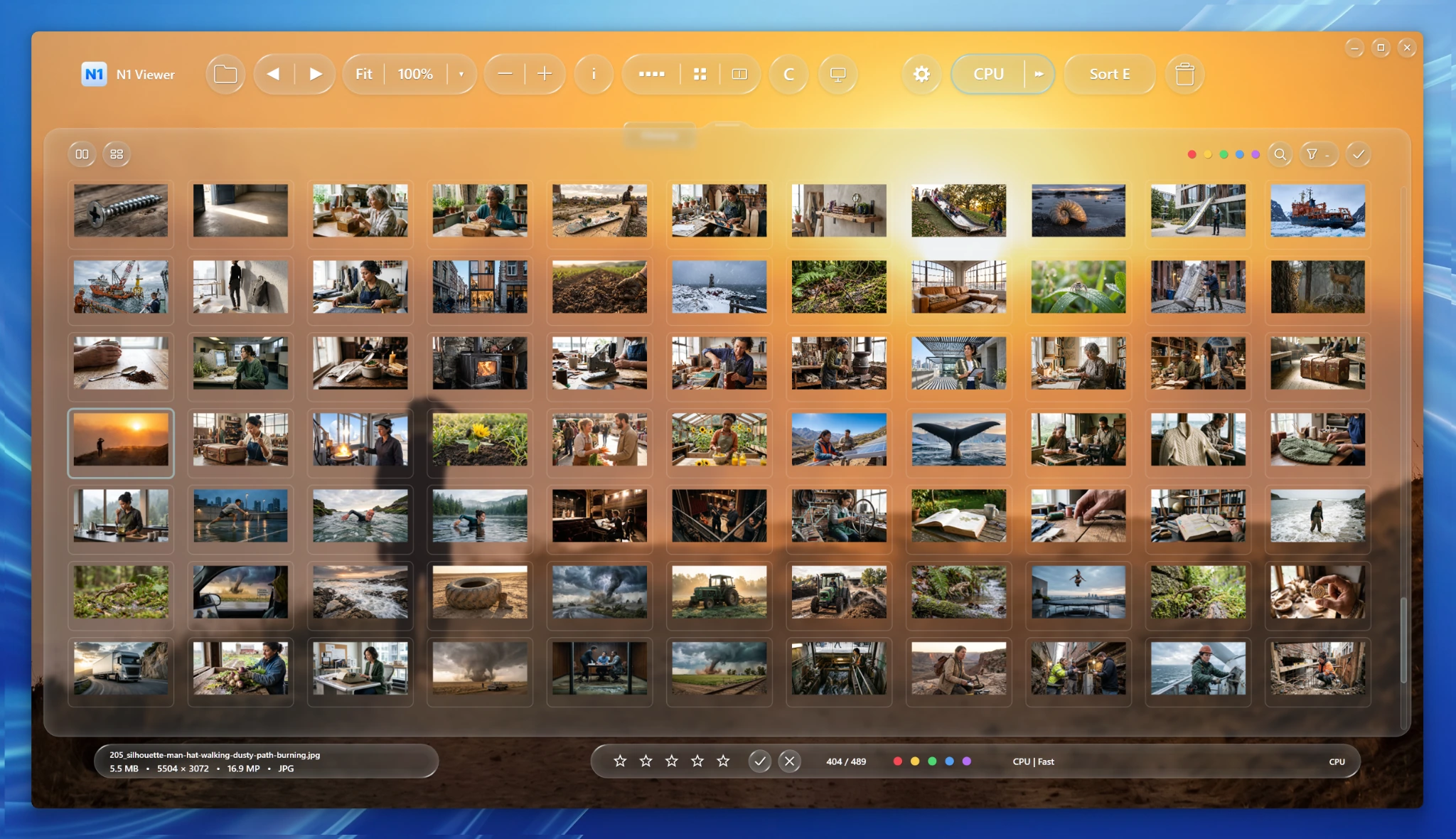
Review images in the gallery, inspect metadata, apply ratings and labels, and filter your selection. Auto Advance in culling mode helps keep the review moving.
Use N1 Viewer for everyday stock images, high-quality exports and camera RAW files.
Includes major camera RAW families such as CR2, CR3, DNG, NEF (including HE / HE*), NRW, ARW, RAF, ORF, RW2, PEF and 3FR. N1 performs full RAW decoding when you zoom in or when the embedded preview is not sufficient.
N1 helps prepare and review local images; the final selection and metadata remain yours.
Advanced AI Auto Tags suggests editable titles, descriptions and keyword ideas from the image. Review and refine the suggestions before using them.
Yes. N1 supports major camera RAW formats and performs full decoding when you zoom in or when the embedded preview does not provide enough detail.
N1 supports star ratings used by Adobe Lightroom, alongside color labels, filters and culling controls.
Explore N1 Viewer and try it through the Microsoft Store.